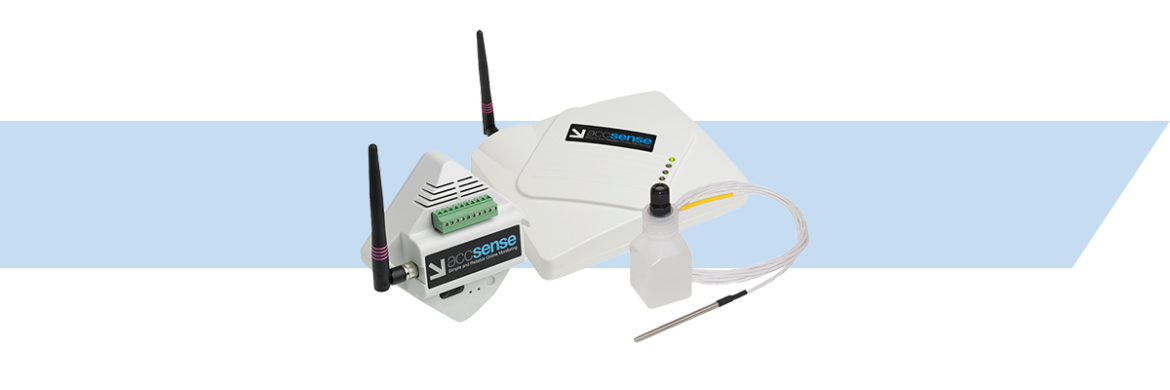


A data logger is a valuable tool for continuously monitoring and recording the temperature in a vaccine refrigerator. Here’s a step-by-step guide on how to use one:
1. Choose a Suitable Data Logger:
- Temperature Range: Ensure the logger accurately measures temperatures within the recommended vaccine range (typically 2°C to 8°C).
- Storage Capacity: Consider the amount of data you need to store and the frequency of readings.
- Remote Access: To monitor temperature remotely, look for a logger with LAN, Wi-Fi, or Bluetooth connectivity. Sometimes, it may be necessary to use a device with Cellular connectivity if none of these is available. Also, consider a device that utilizes cloud-based data storage to allow remote viewing
2. Proper Placement:
- Data Logger Placement: In many cases it is desirable to place the data logger outside the vaccine refrigerator to allow the temperature to be read without opening the door, to optimize wireless connectivity, and to maximize battery life
- Probe Placement: Place the sensor for the data logger in the center of the vaccine refrigerator, away from the door, fan (if present), and any heat sources.
- Secure Attachment: Use a cable tie or adhesive to attach the prober to the shelf securely.
- Thermal Buffer: Consider the use of a thermal buffer such as a glycol bottle or nylon block to help smooth out temperature fluctuations caused by compressor cycling and door opening so the reported temperature more closely mimics the vaccine
3. Configure Settings:
- Sampling Interval: Set the desired frequency of temperature readings (e.g., every hour, every 30 minutes).
- Alarm Settings: Configure the logger to trigger an alarm if the temperature exceeds the recommended range.
- Data Storage: Ensure the logger has sufficient storage capacity to store the desired amount of data.
4. Start Recording:
- Activate the Logger: Turn on the data logger and start recording.
- Verify Functionality: Check the logger’s display or use the accompanying software to confirm that it’s recording data correctly.
5. Monitor and Review Data:
- Regular Checks: Review the recorded temperature data to ensure it’s within the acceptable range.
- Data Analysis: Use the logger’s software or export the data to a spreadsheet program to analyze temperature trends and identify deviations.
- Alarm Notifications: If the logger is configured for alarms, respond promptly to temperature alerts.
6. Data Storage and Reporting:
- Backup Data: Regularly back up the recorded data to prevent loss.
- Reporting: Generate reports to document temperature compliance for regulatory purposes or internal records.
Additional Tips:
- Calibration: Ensure the data logger is calibrated regularly to maintain accuracy.
- Battery Life: Monitor the battery level and replace batteries as needed.
- Remote Monitoring: If using a Wi-Fi, Bluetooth, or cellular-enabled logger, set up remote monitoring to receive alerts and access data from your smartphone or computer.
By following these steps, you can effectively use a data logger to monitor the temperature in your vaccine refrigerator and ensure the safety and efficacy of the vaccines.
For further information on Vaccine Temperature Monitoring, or to find the ideal solution for your application-specific needs, contact a CAS Data Logger Application Specialist at (800) 956-4437 or request more information.